

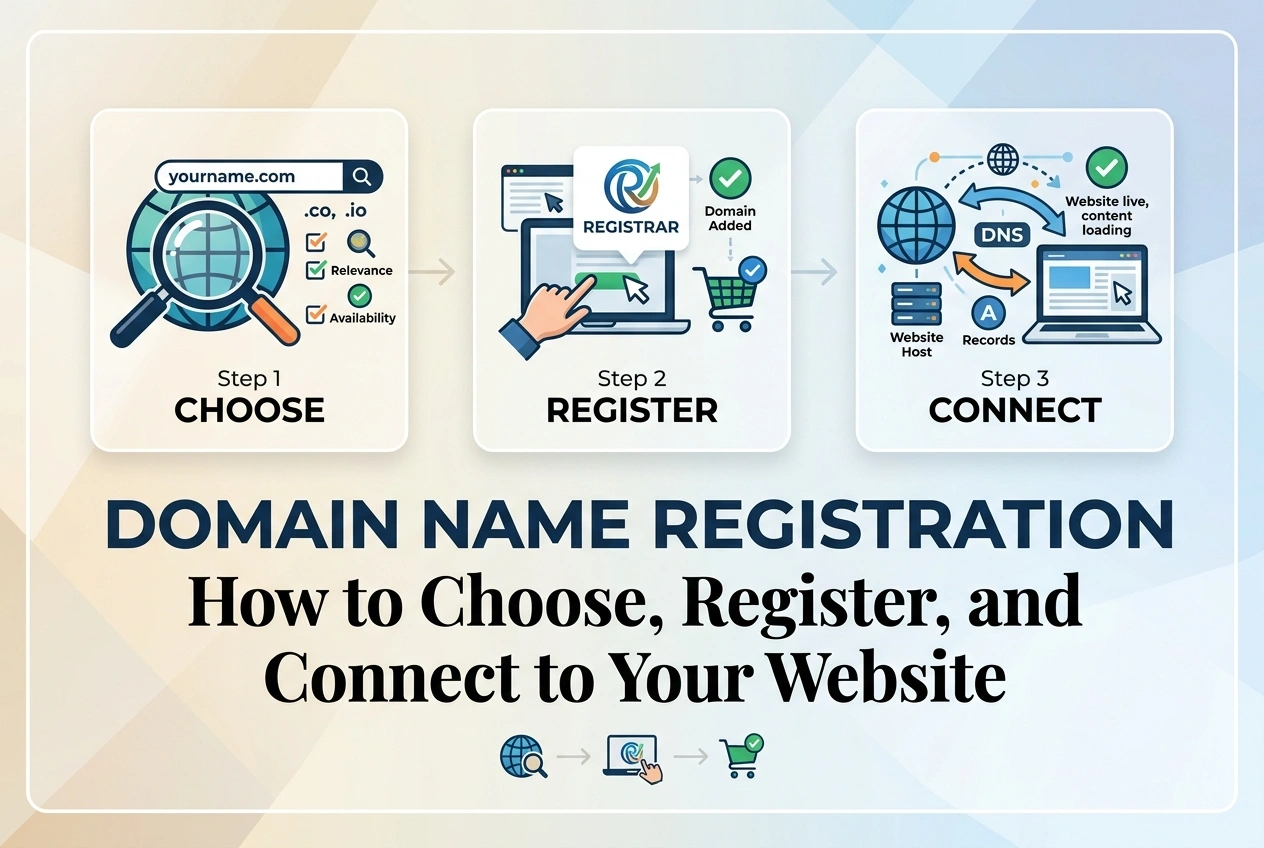
Domain Name Registration: How to Choose, Register, and Connect to Your Website
Your domain name is more than just an address. It is how customers find you, remember you, and trust you. A good domain builds credibility and helps you rank better in search results. A poor choice can confuse visitors, limit your growth, and cost you money in hidden fees.
This guide walks you through every step: how to choose a domain that works for your business, where to register it without overpaying, what tricks to avoid, and exactly how to connect it to your website or store.
Part 1: How to Choose the Perfect Domain Name
Core Principles:
- Keep it short. Aim for 6–14 characters. Longer names are harder to type, harder to remember, and more likely to be mistyped.
- Make it easy to spell and say. If you have to explain how to spell it, it is too complicated. Avoid creative spellings like storey.com or proprints4u.com.
- Use .com whenever possible. It remains the most recognized, most trusted, and most valuable extension. If your desired name in .com is taken, consider a different name before settling for .net, .co, or .io.
- Include your brand or core keyword. Your brand name first. If unavailable, add one relevant keyword — for example, BlueSkyPrints.com instead of BlueSkyOnline.com.
- Avoid hyphens and numbers. They confuse people verbally and look unprofessional. If someone hears your domain, they should not wonder if it contains a dash or a digit.
What You Must Avoid:
- Trademarked terms. Never use brand names like Printful, Printify, Amazon, or any trademarked phrase in your domain. They can seize your domain and pursue legal action.
- Double letters at boundaries. Avoid ending and starting with the same letter — examplexpress.com is easily mistyped.
- Copyrighted words. Names of movies, games, characters, songs, and popular phrases are copyrighted. Using them puts your domain at risk.
- Future-limiting names. Do not name your domain KarachiTshirts.com if you plan to sell nationwide or expand products later. Keep it broad enough to grow.
Quick Checklist Before You Register:
- Type it into your browser bar — does it look clean?
- Say it out loud — can someone hear it once and type it correctly?
- Check social media — is the same name available on major platforms?
- Search Google — does an identical or similar site already exist?
- Check trademarks — search your national trademark database before paying
Part 2: Where to Register Your Domain
Recommended Registrars:
| Registrar | Approx .com Price (1st yr) | Renewal Price | Privacy | Best For |
|---|---|---|---|---|
| Namecheap | $9–$12 | $13–$16/yr | Included Free | Most users — simple, fair pricing |
| Cloudflare Registrar | $9–$11 | Wholesale Price | Included Free | Best long-term — no price increases |
| GoDaddy | $0.99–$2.99 | $19–$25/yr | Paid Extra | AVOID — massive renewal markup |
| Hosting Provider | Often Free | $15–$30/yr | Sometimes Paid | AVOID — hard to move later |
Our Recommendation:
Best overall choice: Namecheap. Simple interface, fair renewal prices, free WHOIS privacy, reliable support. Most domains cost roughly $10–$12 first year, renew around $14. No hidden tricks.
Best long-term choice: Cloudflare Registrar. They charge exactly the wholesale price with zero markup. A .com domain stays roughly $10–$11 forever. Renewal never increases. Interface is more technical but excellent value.
Why NOT Register Through Your Hosting Provider:
Many hosts offer "Free Domain" with hosting plans. This is convenient but risky. Your domain becomes tied to your hosting account. If you ever change hosts, you face delays, extra fees, or technical hurdles moving your domain. Keep domain and hosting separate. It costs roughly the same price and gives you full control.
Part 3: Registration Process — Step by Step
- Go to your chosen registrar's website — Namecheap.com or Cloudflare.com
- Type your desired domain name into the search box
- If available, add to cart. If taken, try slight variations — add one relevant keyword or adjust word order
- Select registration length: 1 year, 2 years, or more. Longer registration secures the price and prevents accidental expiry.
- Enable WHOIS Privacy / Domain Privacy Protection. This is FREE at Namecheap and Cloudflare. It hides your home address, phone number, and email from public databases. Always enable this.
- Uncheck ALL add-ons: Premium DNS, email forwarding certificates, site lock protection, marketing tools. You do not need them and most are available free elsewhere.
- Proceed to checkout. Pay with card or payment method available in your region.
- Save your login credentials in a secure place. You will need this account to manage your domain, renew it, and transfer it later.
Part 4: Critical Settings Immediately After Registration
Do not skip these steps. They ensure your domain remains yours and works correctly.
Enable Auto-Renewal:
Turn on automatic renewal. If you forget to renew, your website goes offline and someone else can buy your domain. Auto-renewal ensures you never lose it. You can always cancel it later if you decide to stop using the domain.
Verify Contact Information:
Enter accurate contact details. If your email address is incorrect, you will not receive renewal notices or domain verification emails, and your domain may be suspended or cancelled by the registry. Keep your contact details up to date.
Domain Lock / Transfer Lock:
Keep the domain lock turned ON. This prevents unauthorized people from transferring your domain away without your permission. Only turn it OFF if you are intentionally moving your domain to a different registrar.
Part 5: Connect Domain to Your Website or Store
Option A: Point Domain to Hosting (Most Common)
Your domain registrar tells your domain where your website files live. This happens through Nameservers.
- Log into your hosting account → Look for "Nameservers" or "DNS Information"
- Your host provides two or three nameserver addresses — example: ns1.bluehost.com, ns2.bluehost.com
- Log into your domain registrar account → Find your domain → Look for "Nameservers" or "Manage Nameservers"
- Select "Custom Nameservers" or similar option
- Delete default nameservers and paste your hosting provider's nameservers exactly
- Save changes
- Allow 15 minutes to 24 hours for changes to propagate worldwide. Usually completes within 1–2 hours.
Option B: Point Domain to Shopify, Etsy, Printful, or Other Platforms
Instead of nameservers, these platforms give you specific DNS records to enter. This keeps your domain at your registrar while directing visitors to your store.
- In your store platform → Domain settings → Select "Connect existing domain"
- Platform shows you 2–4 DNS records: usually one CNAME record and one A record
- Log into your domain registrar → Find your domain → Go to "DNS" or "Advanced DNS"
- Add or edit the records exactly as your platform instructs
- Save. Verify in your store platform — can take up to 24 hours
Option C: Connect to WordPress / WooCommerce Hosting
Same as Option A. Set Nameservers to your hosting provider's values. Then in hosting control panel → Addon Domains or Parked Domains → Enter your full domain name to tell your hosting account to accept traffic for that domain.
Part 6: Common Questions and Mistakes
How much should a domain cost?
A standard .com domain should cost roughly $9–$15 per year. Be suspicious of prices far above or below this range — especially if renewal price is hidden. Always check renewal price before buying, not just the first-year price.
What if my desired name is taken?
Try adding a relevant keyword at the end or beginning. Instead of BlueSky.com try BlueSkyPrints.com or ShopBlueSky.com. Avoid creative spellings or odd extensions unless absolutely necessary.
Should I buy multiple extensions?
Only if you are serious about branding. Buy the .com first. If you can afford it and want to protect your brand, also buy the .net and .co versions and redirect them to your main site. Most small businesses do not need this immediately.
What is DNS propagation?
When you change nameservers or DNS records, it takes time for every internet provider worldwide to update their records. This is called propagation. Changes appear instantly for some visitors and take up to 24–48 hours for others. Be patient. Do not make repeated changes while waiting — it resets the timer.
Part 7: Best Practices Summary
- Choose short, spellable, brandable names. Prefer .com. Avoid hyphens, numbers, and trademarks.
- Register at Namecheap or Cloudflare. Keep domain SEPARATE from your hosting account.
- Always enable free WHOIS privacy and auto-renewal.
- Check renewal price before buying — first-year price is often discounted.
- Connect via Nameservers (to hosting) or DNS records (to Shopify/Printful/Etsy). Keep your domain locked except when transferring.
- Be patient — DNS changes can take up to 24 hours to show everywhere.
Your domain is a permanent asset. Choose carefully, keep it separate from your hosting so you can move freely, renew reliably, and build your brand on a foundation you fully control.