

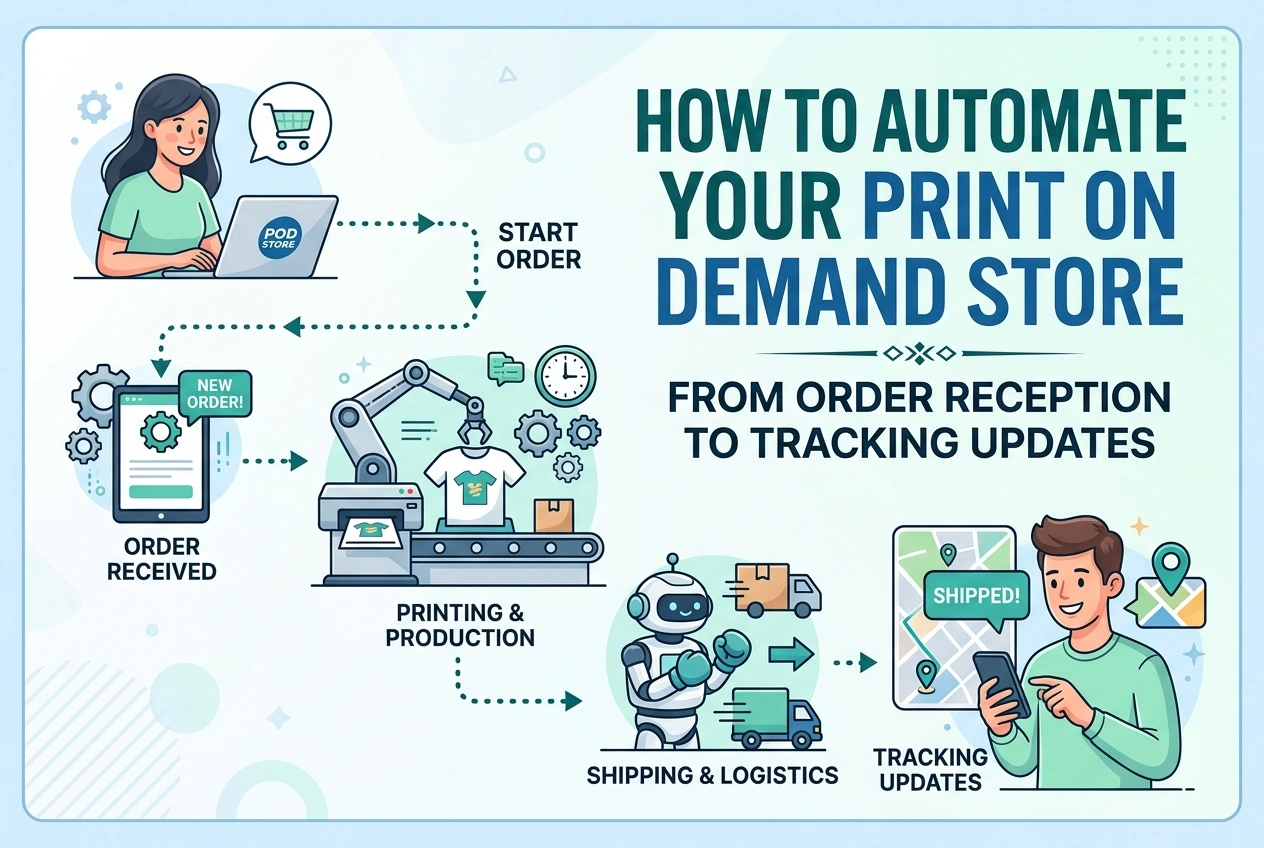
How to Automate Your Print on Demand Store: From Order Reception to Tracking Updates
You started a Print on Demand store to build a business, not to become a full-time order clerk. Yet without automation, every sale means: copy the address, paste it into your supplier, check back later, copy the tracking number, paste it into your store, email the customer. Repeat. Every single time.
At five sales a week, this is manageable. At five sales a day, it becomes a full-time job. The good news: you can automate every step. Once set up, orders flow from checkout to customer without you touching a single button.
This guide shows you exactly how to build that fully automated workflow.
What Full Automation Actually Looks Like
True automation means this sequence happens automatically, 24 hours a day, without your involvement:
- Customer pays on your store
- Order details send instantly to your POD supplier
- Supplier prints, packs, and ships
- Tracking number appears automatically in your store
- Customer receives shipping confirmation with tracking link
- You keep the profit — no data entry, no emails, no checking dashboards
This is not futuristic technology. Every major platform supports it today. The difference between overwhelmed sellers and scaling sellers is simply who connects the automation properly.
Level 1: Native Integration (Start Here — Free & Reliable)
Every major POD supplier integrates directly with every major selling platform. These are built-in connections — no extra tools, no monthly fees, extremely reliable.
Shopify + Printful / Printify / Gelato
Install the official app from your supplier inside Shopify. Authorize the connection. Map your products once. From that moment:
- New orders route to your supplier instantly
- Design files and variant details attach automatically
- Tracking numbers push back to Shopify when shipped
- Shopify marks orders as Fulfilled and emails the customer
Setup time: 15–30 minutes. Cost: Free. Works perfectly 99% of the time.
Etsy + Printful / Printify / Gelato
Go to your POD supplier dashboard and connect your Etsy shop. Grant permissions. Link each listing to the matching product. That is all.
- Etsy orders flow to your supplier within seconds
- Tracking numbers write back to Etsy automatically
- Etsy notifies your customer with tracking
- You never log into your supplier dashboard unless checking something manually
WooCommerce + Printful / Printify / Gelato
Install the official plugin from your supplier. Connect via API key. Enable automatic order fulfillment. The same full loop operates — order → fulfillment → tracking — entirely automated.
Level 2: Advanced Automation with Zapier (Bridge the Gaps)
Sometimes you need extra automation that native connections do not provide. Zapier connects your store to your supplier, email, spreadsheet, or any other tool. Use it when:
- You want to send custom thank-you emails separate from platform notifications
- You need order copies sent to Google Sheets or your accounting software
- You want to route different products to different suppliers automatically
- You need alerts on Slack or Telegram when orders ship
Example Workflow: New Order → Google Sheet + Email Alert
- Trigger: New Order in Shopify / Etsy / WooCommerce
- Action 1: Add Row to Google Sheets (date, customer, product, amount)
- Action 2: Send Email to You (subject: New Sale — [Amount] from [Name])
- Action 3: Optional — Send Custom Thank-You Email to Customer
Zapier free plan handles 5 zaps and 100+ tasks per month — enough for most growing stores.
Level 3: Multi-Supplier Routing (Scale Without Limits)
As you grow, you may use Printful for apparel, Printify for home goods, and Gelato for international orders. You need rules that automatically send the right order to the right supplier.
How to Set It Up:
- Option A: Use native integrations separately — assign each product to its primary supplier during setup
- Option B: Use automation tools with filters — "If product contains 'Mug' → send to Printify; if contains 'T-Shirt' → send to Printful"
- Option C: API webhooks — advanced sellers can build custom routing, but most stores never need this
Tracking Automation: The Most Important Part
Tracking is where most stores waste hours. Do not manually copy tracking numbers. Set up this critical loop once and forget it.
How Automatic Tracking Works:
- Supplier ships order → carrier issues tracking number
- Supplier pushes tracking number to your store via API/webhook
- Your store updates order status to Shipped / Fulfilled
- Your store automatically emails customer with tracking link
Platform-Specific Tracking Notes:
- Shopify: Works perfectly with all major suppliers. Tracking appears in customer order portal automatically.
- Etsy: Tracking numbers write back to Etsy orders. Etsy sends the email — ensure you have "Allow fulfillment partners to notify buyers" enabled in Etsy settings.
- WooCommerce: May need a free tracking plugin to display tracking elegantly. Once supplier pushes the number, plugin formats it nicely for customers.
Automation Checklist: Step-by-Step Setup
- Create account with your POD supplier (Printful, Printify, or Gelato)
- Install official app/plugin in your store platform
- Authorize connection — grant permissions securely
- Import or create products — designs, prices, variants
- Map each listing to the exact supplier product variant
- Enable "Auto-fulfill orders" — turn ON automatic order routing
- Enable "Auto-send tracking" — ensure tracking flows back
- Place a TEST ORDER — use a coupon or free sample. Verify:
- Order arrived in supplier dashboard automatically
- Design and variants matched correctly
- Tracking returned to your store once shipped
- Customer received shipping notification
- Once verified — you are fully automated. Monitor briefly at first, then trust the system.
What to Watch For: Common Automation Pitfalls
Test Before You Trust
Automation errors are rare but can happen. Send a real test order through the full flow before enabling auto-fulfill on live orders. Confirm sizes, colors, and design placement all map correctly.
Keep Auto-Fulfill OFF During Testing
Most connections let you "Auto-fulfill" or "Manual only." Keep it manual until you verify everything. Once turned ON, orders print instantly and cannot be cancelled.
Know Where to Check for Errors
Sometimes orders fail — wrong size, discontinued color, supplier down. Every integration has an "Orders" tab where failed orders appear. Check it once daily until you are confident. Set up email alerts for failed orders.
Platform Fees Still Apply
Automation does not remove transaction fees, listing fees, or payment processing costs. Those are collected normally — your supplier does not charge extra for automation.
Recommended Tool Stack by Store Size
| Store Stage | Automation Setup | Cost |
|---|---|---|
| Just Starting | Native integration only — supplier official app | $0 |
| Growing Store | Native integration + Zapier Free Plan (alerts, spreadsheets) | $0 |
| Scaling Store | Native integrations + Zapier Premium + Tracking App | $20–$50/month |
| Advanced / Multi-Platform | API webhooks + custom routing + tracking service | Varies by developer |
Summary
Full automation is not a premium feature — it is standard on every major platform and supplier today.
- Native integration handles 90% of everything — orders, production, tracking — for free
- Zapier adds custom emails, spreadsheets, and alerts without coding
- Tracking flows both ways — supplier → your store → customer automatically
- Always test with one order before turning on auto-fulfill
Set it up once, verify it works, and step back. Your store runs while you focus on designs, marketing, and growing — not copying tracking numbers. That is the true potential of Print on Demand.